
Nine Apple Watch faces for your shooting session
A shooting session on your wrist shouldn't be one small number. Tally Hoops gives you nine session faces to swipe between while you shoot, each built for a different kind of workout, from free throws to a race against your best session.
Scan to download
All nine faces
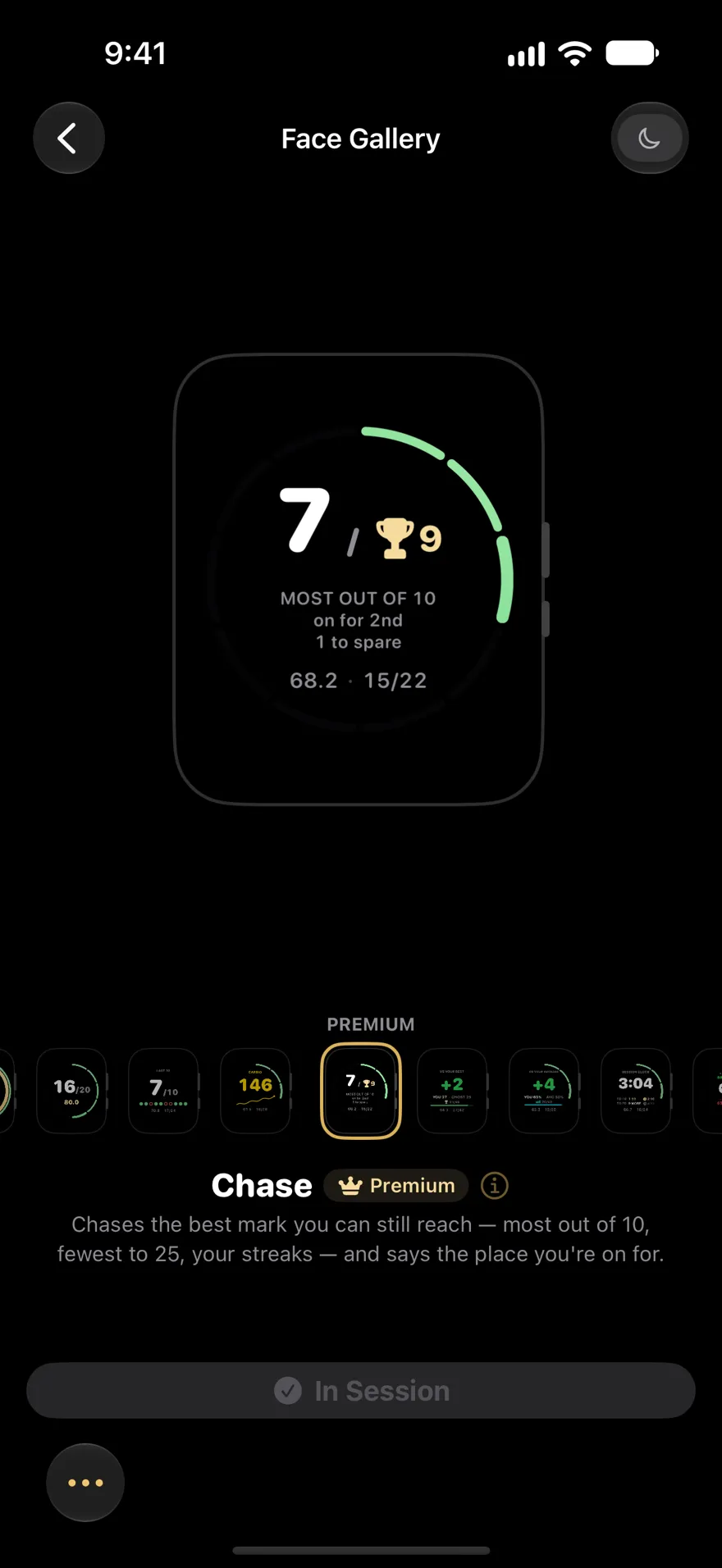
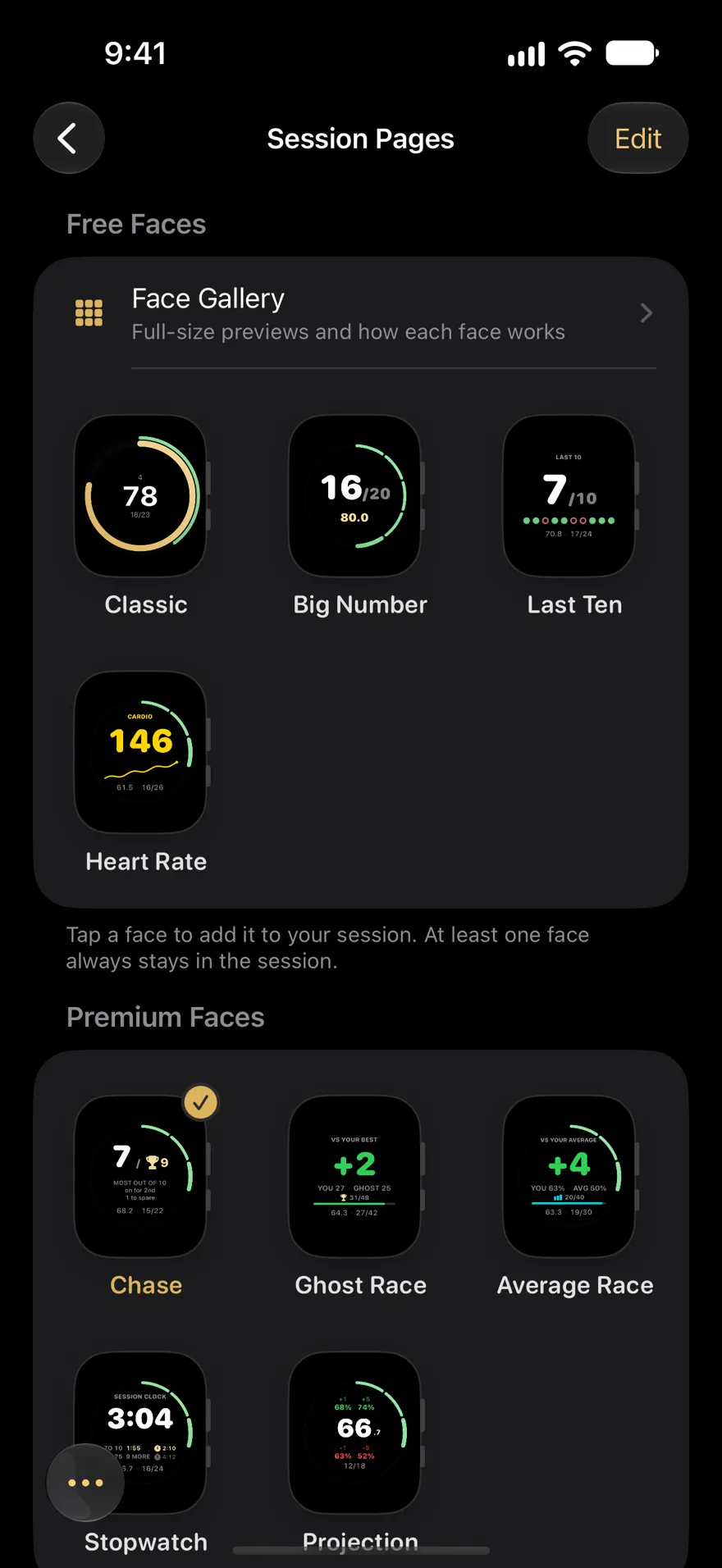
Pick a face to see it on the watch. Classic, Big Number, Last Ten and Heart Rate are free; Chase, Ghost Race, Average Race, Stopwatch and Projection come with Premium.
Classic Free
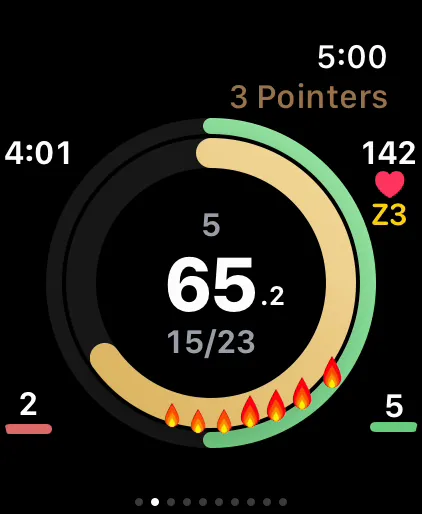
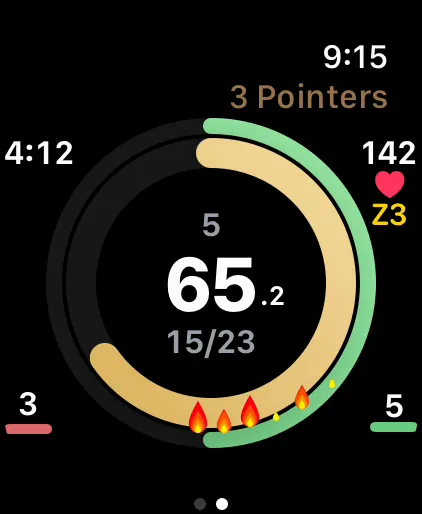
The original rings — percentage, streak, and fire.
Big Number Free
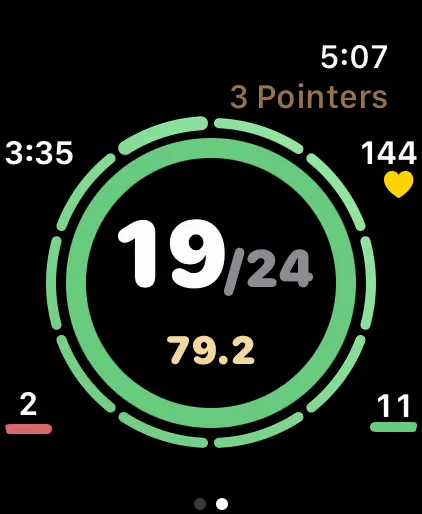
Your makes, huge, with your percentage in gold underneath. Readable at arm's length.
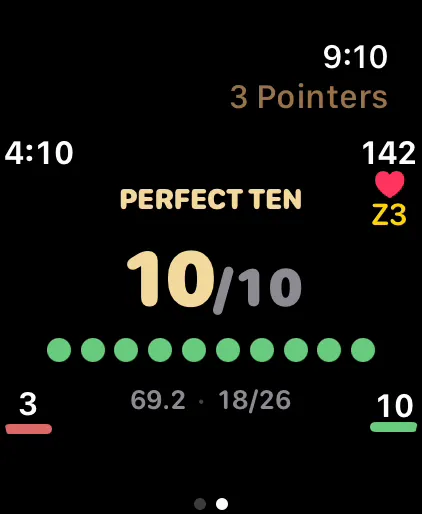
Last Ten Free
Your last ten shots as a row of dots — green makes, red misses — with the count huge: how you're shooting right now, not all session. Ten straight turns it gold.
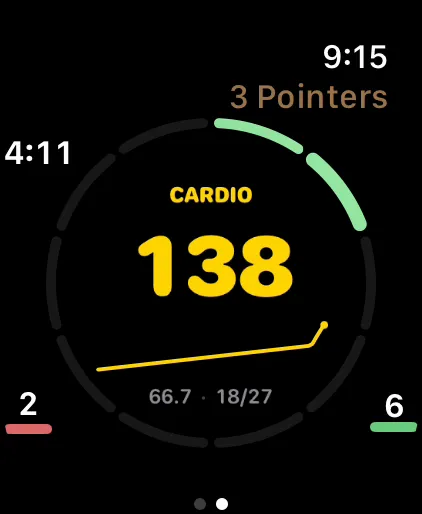
Heart Rate Free
Your live BPM, colored by zone, with the last few minutes as a trend line.
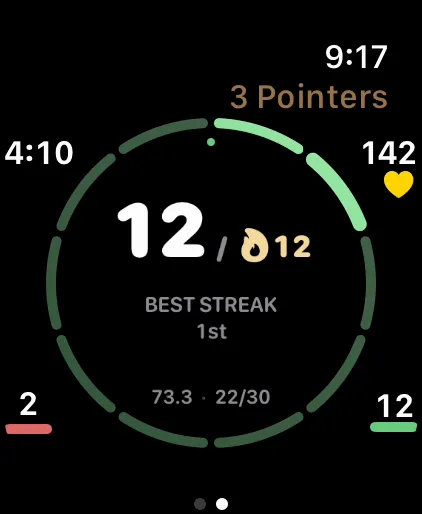
Chase Premium
Chases the best mark you can still reach — most out of 10, fewest to 25, your streaks — and says the place you're on for.
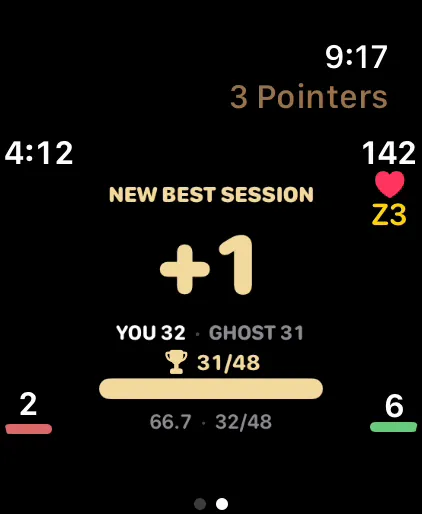
Ghost Race Premium
Races your best session shot for shot — with a wrist tap when the record's in reach.
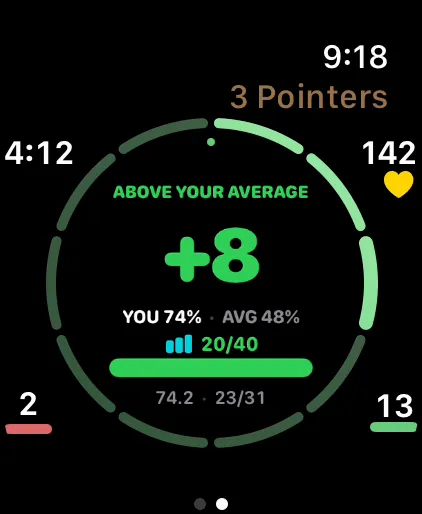
Average Race Premium
Races your average session shot for shot — green means a better-than-usual day.
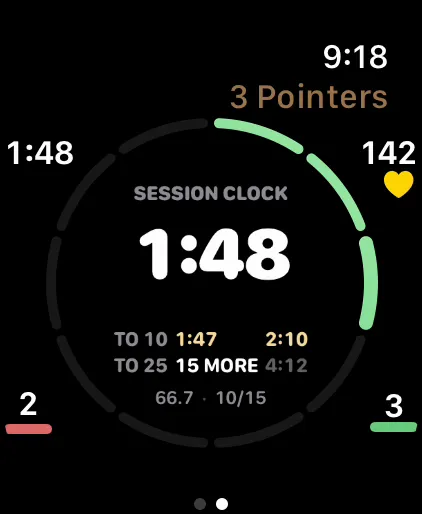
Stopwatch Premium
A session clock with your fastest-to-10, fastest-to-25 and onward splits under it, each beside your record — gold when today's is faster.
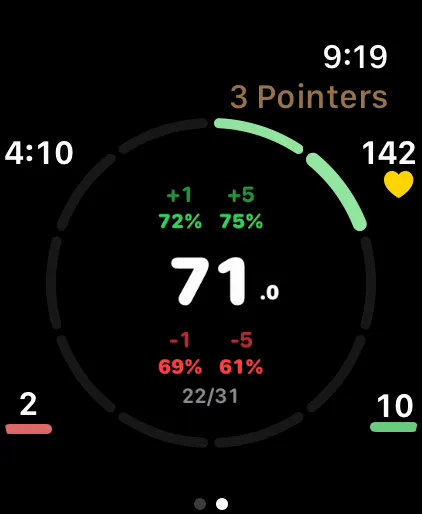
Projection Premium
What making or missing your next 1 or 5 does to your percentage.
Session faces, not clock faces
These faces live inside Tally Hoops. They take over the screen while a shooting session is running and go away when it ends. Your everyday Apple Watch face stays yours; for that, Tally Hoops has complications (more below).
Build your session pages
In the iPhone app, Session Pages (More › Settings › Apple Watch) lets you choose which faces your watch shows during a session and put them in order. Swipe between them mid-session: Big Number for the next ten shots, then Chase when you get close to a record. Every face responds to every input, so a Crown turn or a Double Tap logs the shot whichever face you're on. The Face Gallery previews each face before you add it.
The streak ring
Most faces wear a ring of ten segments around the edge: makes count up clockwise in green, misses counterclockwise in red. Because it changes with every shot, a glance tells you the shot logged, and logged as the right result. Past ten makes in a row it starts a second lap over a dimmed first one, with a small mark for each lap you've finished, so a run of 14 reads as a full ring plus four. Classic has its own ring, and Last Ten and Ghost Race show every shot already, so they go without.
Which face for which workout
| Workout | Try |
|---|---|
| Free throws | Big Number, Last Ten |
| Three-point volume | Chase, Stopwatch |
| Beating a personal best | Ghost Race, Chase |
| Everyday sessions | Classic, Average Race |
| Conditioning shooting | Heart Rate, Last Ten |
| Chasing a percentage | Projection, Big Number (percent) |
Races against yourself
Ghost Race replays your best session shot for shot, so at shot 30 you're racing what you'd made by shot 30 that day, and the watch taps your wrist when the record is in reach. Average Race does the same against your typical session, which makes it the face for ordinary days. Chase picks the best record you can still reach this session (most out of 10, fewest to 25, your streaks) and tells you how many misses you can spare. Stopwatch races the clock: your fastest to 10 and 25, against your records.
On your everyday watch face: complications
Tally Hoops complications come in circular, rectangular, corner and inline sizes, and show your shooting percentage, your week streak or your makes. There's also a Smart Stack widget and a Quick Start control to begin a session without opening the app.
Checked against Tally Hoops 3.11 on October 14, 2026.
Questions
Which Tally Hoops watch faces are free?
Classic, Big Number, Last Ten and Heart Rate are free. Premium adds Chase, Ghost Race, Average Race, Stopwatch and Projection.
Are these Apple Watch clock faces?
No. They're the screens Tally Hoops shows during a shooting session, and you swipe between them while you shoot. For your everyday watch face, Tally Hoops has complications that show your shooting percentage, week streak or makes.
Can I use more than one face in a session?
Yes. In the iPhone app, Session Pages lets you choose which faces your watch shows during a session and in what order, and you swipe between them while you shoot.
Which face is best for free throws?
Big Number is the easiest to read from the line: your makes, huge, with your percentage underneath. Last Ten is good for rhythm, because it shows how your last ten went rather than the whole session.
Which Apple Watch do I need?
Any Apple Watch with watchOS 26 or later. Logging with Double Tap needs Series 9, Ultra 2 or later; the Digital Crown and press and hold work on every model.