
A free throw tracker that keeps up with every rep
By Matthew Parrott, who makes Tally Hoops ·
The free throw is the one shot you take the same way every time, which makes it the easiest shot to measure honestly. Here's how to track every attempt with Tally Hoops on Apple Watch or iPhone, and how to turn the numbers into a better routine.
Free to download · iPhone and Apple Watch
Why track free throws at all
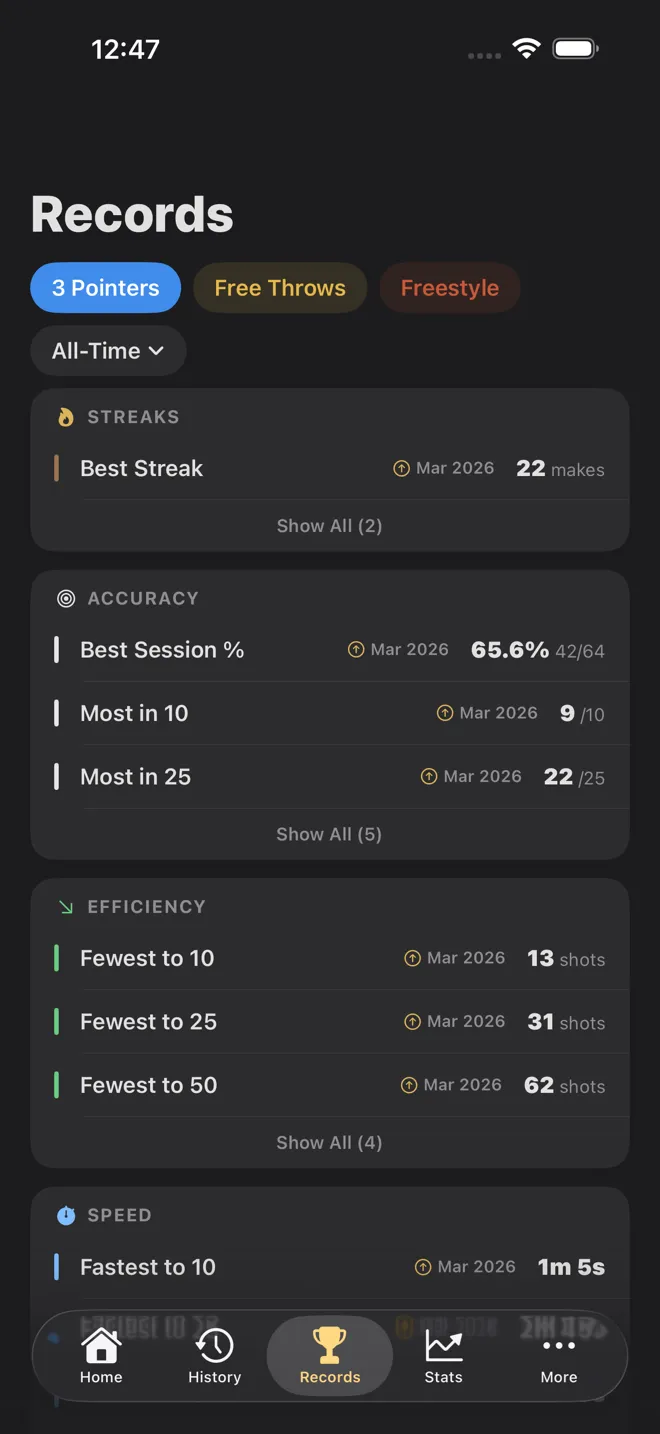
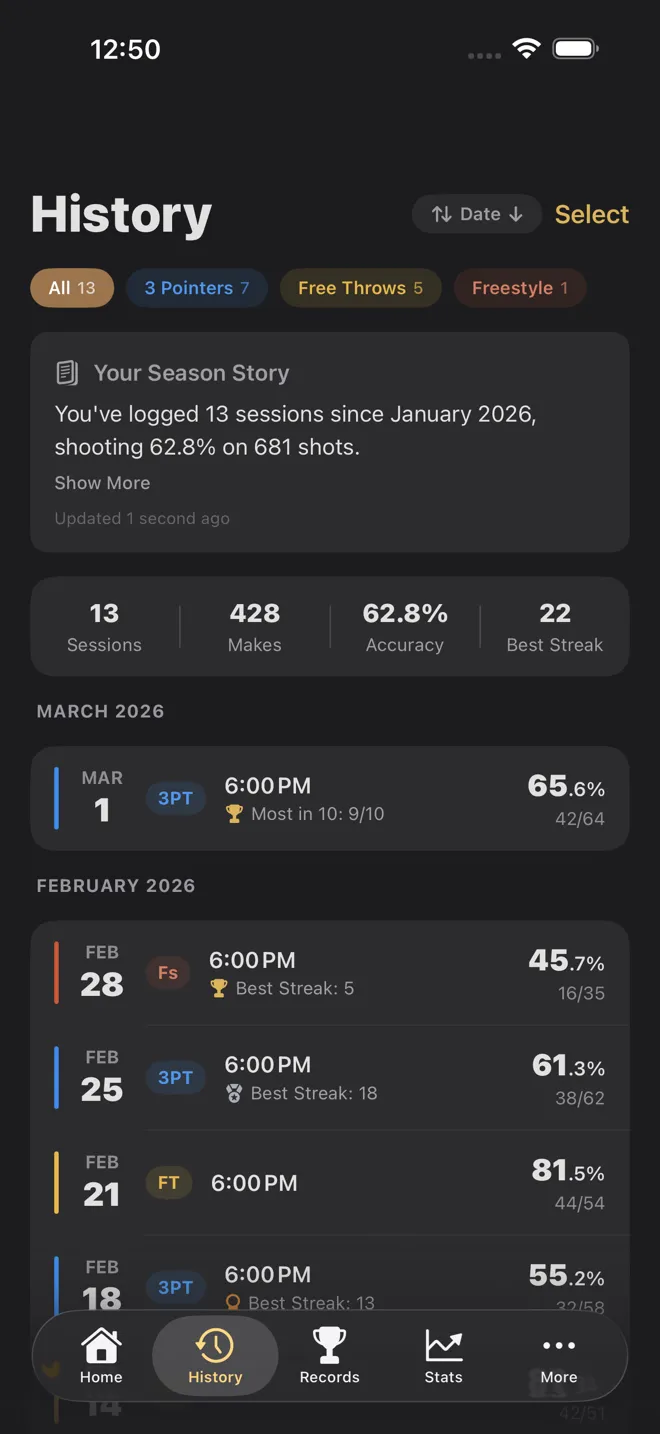
Most players know roughly how they shoot from the line. Roughly is the problem: a good night sticks in your memory and a cold one doesn't, so the number in your head drifts upward. A count of every attempt, session after session, tells you whether your routine is working, whether you fade late in a workout, and whether last month's change to your release actually helped.
Free throws are also the cleanest shot to measure. The distance never changes and nobody is guarding you, so a change in your percentage is a change in you, not in the shot.
How to track free throws with Tally Hoops
- Start a Free Throws session. Open Tally Hoops on your Apple Watch and choose Free Throws. Your iPhone can stay in your bag; the watch app works on its own.
- Shoot, then log the result. Roll the Digital Crown up for a make or down for a miss. On Apple Watch Series 9, Ultra 2 or later you can also Double Tap (pinch your index finger and thumb together twice) for a make, and press and hold the shot ring for a miss. See each one in action.
- Watch your percentage as you go. The watch face shows makes, attempts and your free throw percentage live. The Big Number face shows your makes huge with your percentage underneath, so you can read it at arm's length.
- End the session. The summary shows shots made, percentage and your best streak, and the session syncs to your iPhone, where it lands in your history and your free throw records.
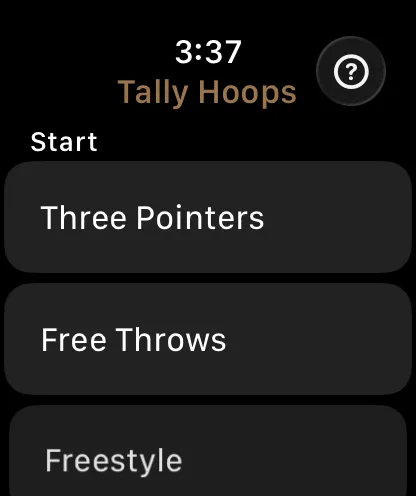
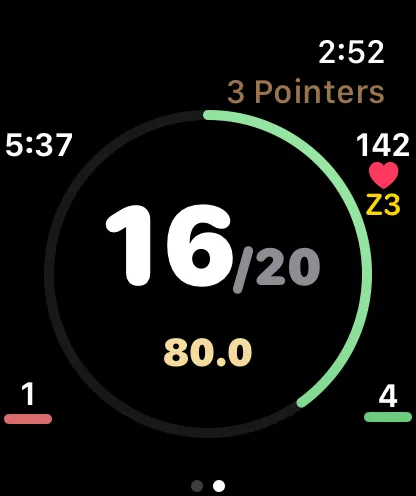
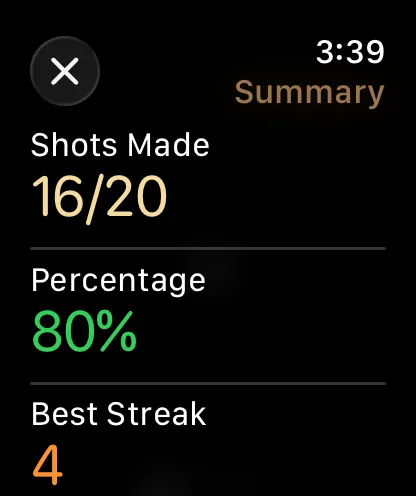
No watch? Use Assist Mode on iPhone. Prop the phone somewhere you can reach it and tap the big Make and Miss buttons, or turn on voice and just say "make" or "miss" after each shot. More on logging without a camera.
Free throw routines worth tracking
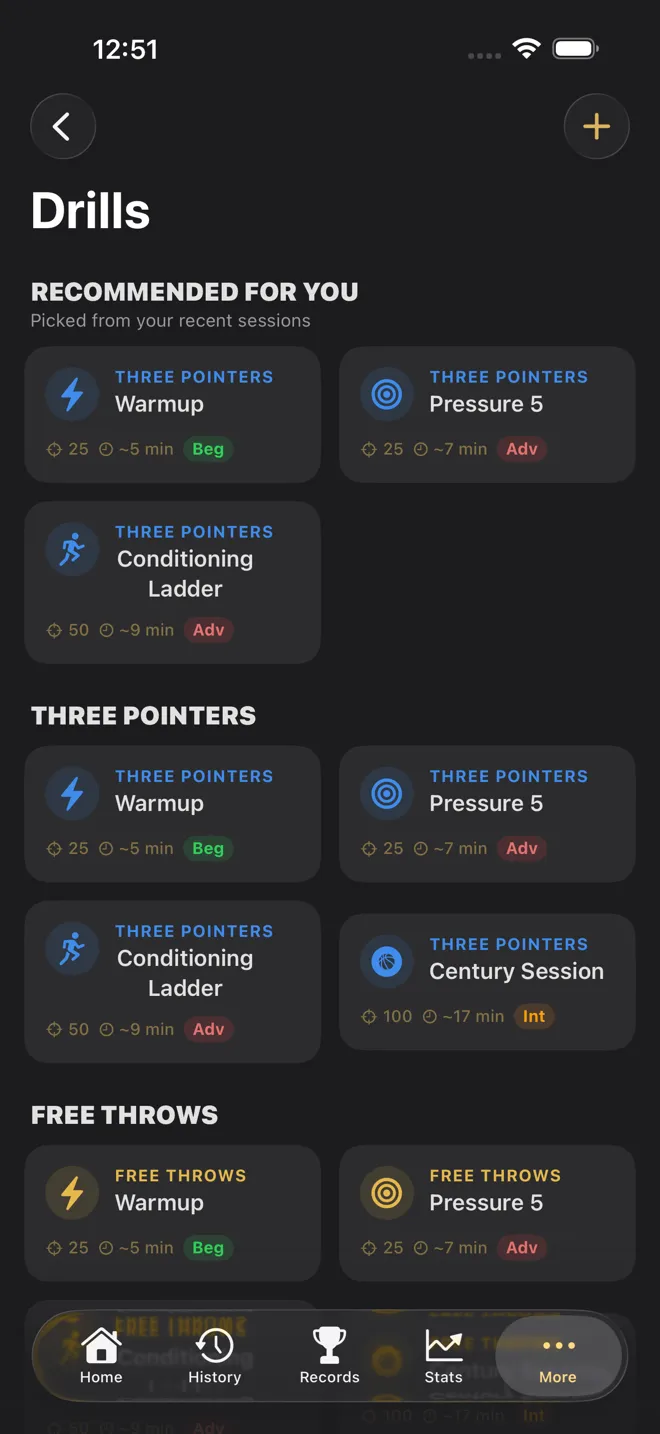
A free throw percentage only means something if you compare like with like. Pick a fixed number of attempts per session and stick to it, so 41 of 50 today can be set against 38 of 50 last week. Tally Hoops has built-in Free Throws drills to give your sessions that shape:
- Warmup: 25 free throws to find your stroke. Clean form matters more than speed.
- Century Session: 100 free throws, a volume benchmark long enough to show what holds up as you tire.
- Pressure 5: make five in a row to clear a rung, and a miss sends you back to zero. It's the closest thing to game pressure you can build alone.
- Conditioning Ladder: five sets of ten free throws, each set clearing at 8 of 10. Get your heart rate up between sets and you practise holding your form on heavy legs.
Warmup is free, along with two drills of your own. Premium unlocks every built-in drill. Pressure 5 and the Conditioning Ladder play by their rung rules in Assist Mode on iPhone; on Apple Watch every drill runs to its shot count. More on the drills.
It also helps to shoot free throws when you're tired, not only fresh, because that's when you take them in games. Every shot you log on Apple Watch is tagged with your heart rate at that moment, so over time you can see whether your percentage holds up when your heart rate climbs.
Set a free throw goal you can actually see
Goals in Tally Hoops can be tied to a single session type. "Shoot 70% on Free Throws" is one of the suggested goals, and you can make your own: a percentage, a number of attempts, or a streak, such as "Hit a 10-shot Free Throw Streak". Progress updates as you log each session.
There are badges along the way too. Free Throw Pro is 80% or better on at least 25 attempts, and Free Throw Ace is 85% or better on at least 25. Career badges arrive at 100, 500, 1,000 and 5,000 free throws made.
Reading your free throw numbers
One session is noisy. If you take 20 free throws, a single make or miss moves your percentage by five points, so don't read much into one night. Look at the trend instead: the Stats tab can filter to free throws only and plots your accuracy session by session. For more on getting numbers you can trust, see how to track your shooting percentage, and for how your number compares with players from high school to the NBA, see what's a good shooting percentage.
Checked against Tally Hoops 3.11 on October 14, 2026.
Questions
Can I track free throws without an Apple Watch?
Yes. Assist Mode on iPhone has big Make and Miss buttons, and it can listen for you to say "make" or "miss" so you don't have to touch the phone. Speech recognition runs on the device.
Does Tally Hoops count free throws automatically?
No. You log each free throw yourself, with a turn of the Digital Crown, a Double Tap, a press and hold, a button or your voice. It takes about a second, and it means the app works anywhere without a camera pointed at the rim.
Does the watch need my iPhone nearby?
No. The Apple Watch app runs on its own. Sessions you log on the watch sync to your iPhone the next time it's in reach.
Is it free?
Tally Hoops is free to download, and logging free throws, your records, the Free Throws records tab, your session history and the last week or month of stats are all free. Premium adds longer stat ranges, more watch faces, more drills and goals, and unlimited Video Mode. In the US it costs $4.99 a month, $29.99 a year or $99.99 once.
What's a good free throw percentage?
NBA players made 78.3% of their free throws in the 2025-26 regular season, and NCAA Division I men's teams about 72%. For practice, your own last 20 sessions are the most useful benchmark.