
How to track your shooting percentage
By Matthew Parrott, who makes Tally Hoops ·
Shooting percentage is just makes divided by attempts. Getting a number you can trust takes a little more: counting every attempt in the moment, keeping shot types apart, and looking at enough shots. Here's how to do it, by hand or with Tally Hoops.
Free to download · iPhone and Apple Watch
The formula
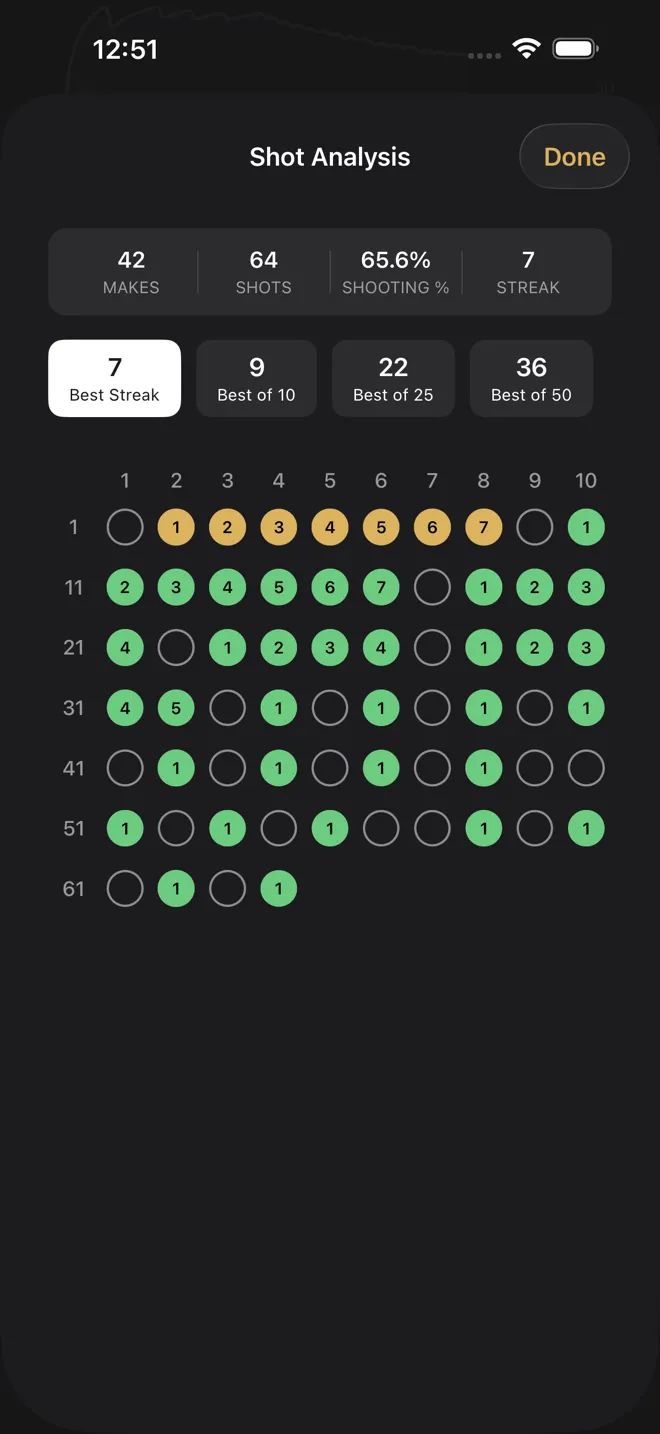
Shooting percentage = makes ÷ attempts × 100. Make 42 of 64 and you shot 42 ÷ 64 = 65.6%. In games it's often written FG% (field goals), 3P% (threes) and FT% (free throws); in a workout it's whatever you were shooting.
The maths is easy, and the shooting percentage calculator will do it for you, along with the range luck alone could put your number in. The hard part is the two numbers going into it, and that's where most players' tracking goes wrong.
Five rules for a percentage you can trust
- Count every attempt. Airballs, heaves at the end of a set, the shot you rushed: all of them. Leaving out the ugly ones is the most common way a workout percentage ends up higher than a game one.
- Log it as it happens, not afterwards. "About 30 of 50" from memory is a guess. A count you record shot by shot isn't.
- Keep shot types apart. Free throws, threes and everything else are different skills. Mix them and a great night from the line can hide a cold one from deep.
- Use the same session size. 25, 50 or 100 attempts, whatever suits you, but keep it steady so one session can be set against another.
- Judge the trend, not the night. For a 50% shooter, 20 shots can come out anywhere from about 28% to 72% by chance alone, and 100 shots from about 40% to 60%. A single session tells you very little; the last five or twenty tell you a lot.
Ways to keep count
| Method | Good for | The catch |
|---|---|---|
| Notebook or notes app | Free, works anywhere | You stop to write, so you batch it and round |
| Tally counter | Counting attempts or makes | Counts one thing; you still need the other number |
| Camera-based app | Logs automatically, can chart where you shot from | Needs a phone on a tripod with a clear view of you and the rim |
| Apple Watch app (Tally Hoops) | Logging each shot from your wrist, live percentage | You log each shot yourself, with a gesture that takes about a second |
How Tally Hoops tracks it
During the session
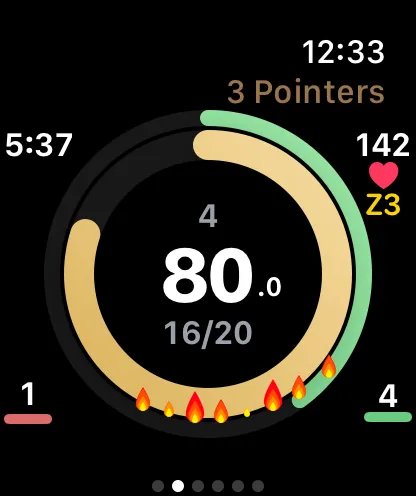
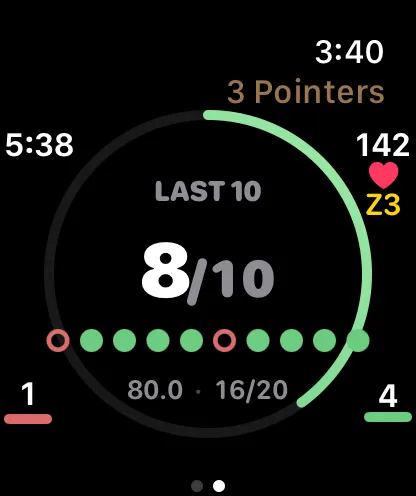
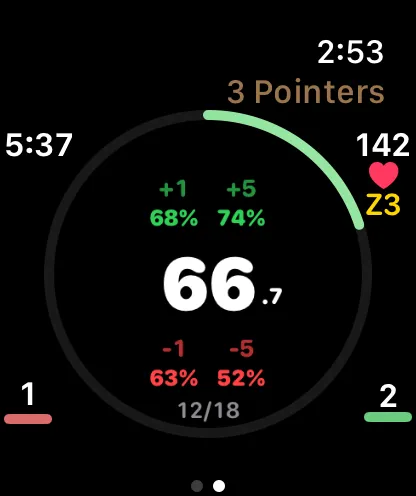
Start a session on Apple Watch and log each shot as you go: roll the Digital Crown up for a make and down for a miss, or on Series 9, Ultra 2 and later, Double Tap for a make. Your percentage updates with every shot on the watch face. On iPhone, Assist Mode does the same with on-screen Make and Miss buttons or your voice. The no-camera guide covers every way to log.
Different watch faces show your percentage in different ways. Classic puts it in the middle of a ring with your streak; Big Number can show just your percentage, huge; Last Ten shows how many of your last ten went in; and Projection (Premium) shows what making or missing your next one or five shots would do to your percentage.
After the session
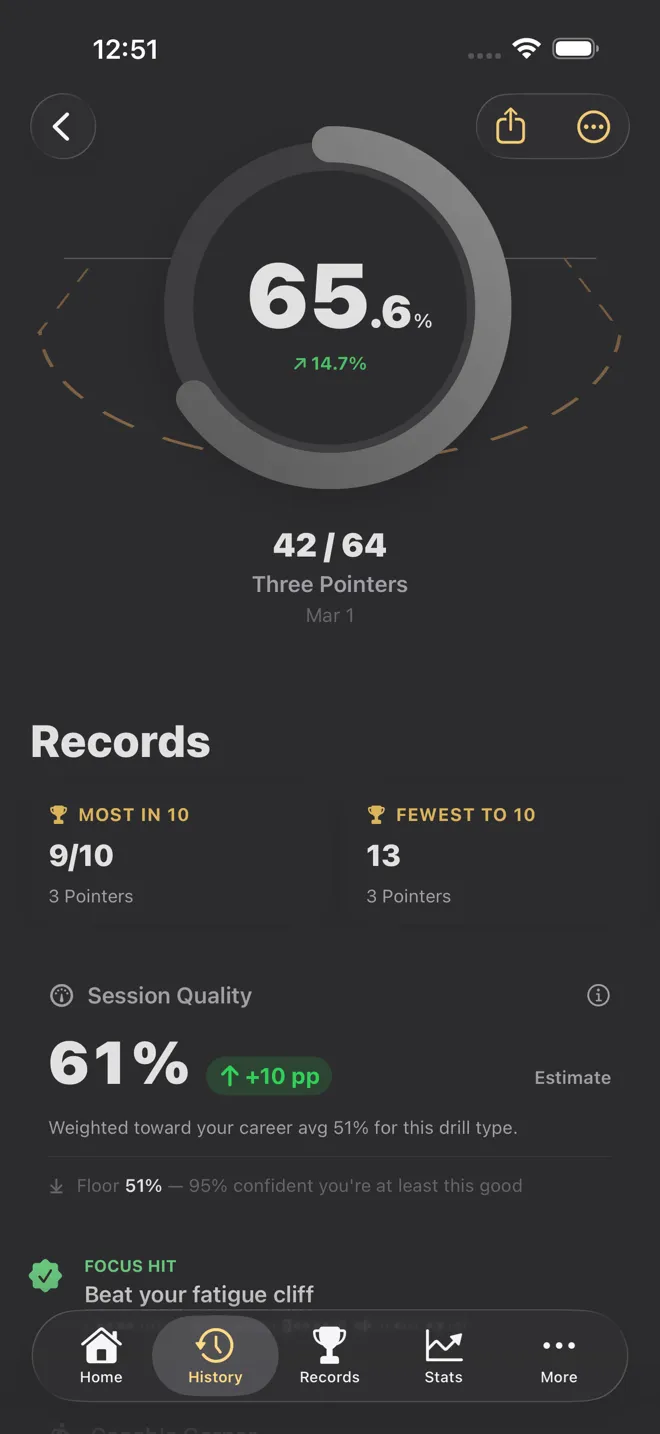
Every session on iPhone opens to your makes, attempts and percentage, with a Deep Dive section holding a chart of your percentage through the session and a Session Flow breakdown by quarter, so you can see whether you started cold or faded late. Shot Analysis lays every shot out in order, makes and misses, with your best streak and your best stretch of 10, 25 and 50.
Over weeks and months
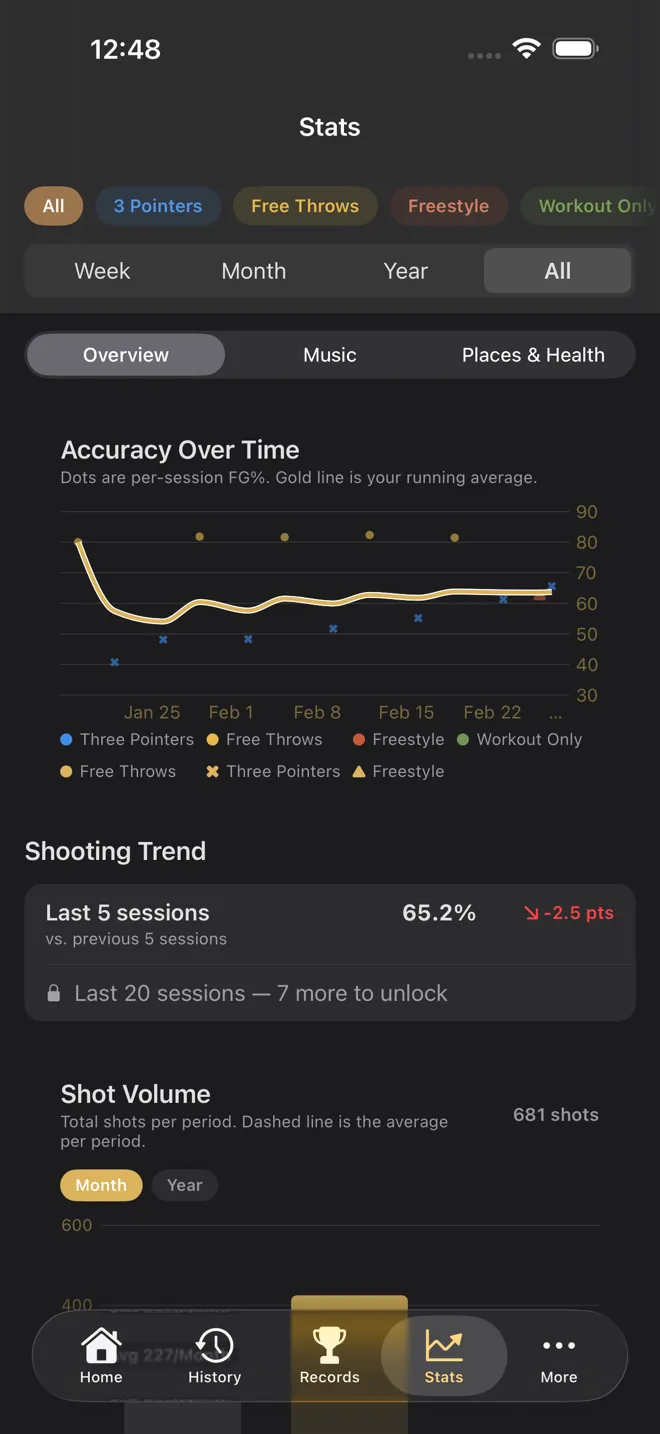
The Stats tab is where the trend lives. Accuracy Over Time plots each session's percentage with your running average, Shooting Trend compares your last 5 sessions with the 5 before (and your last 20 with the 20 before), This Week vs. Last Week does what it says, and When You Shoot Best splits your percentage by time of day. Filter it to one session type to see one shot at a time. The last week and month are free; the year and all-time ranges are part of Premium.
Records keep your Best Session % (from sessions of at least 10 shots), your best streak, and your most makes in 10, 25, 50 and up, separately for threes, free throws and freestyle.
A simple routine to start with
- Pick one shot type to focus on this month, for example free throws or catch-and-shoot threes.
- Shoot the same number every session, say 50, and log every one as it happens.
- After five sessions, look at your Shooting Trend, not your best night.
- Change one thing in your shot or routine, then give it another five sessions before you judge it.
Working on free throws? The free throw tracker guide has drills and goals built for exactly that.
Checked against Tally Hoops 3.11 on October 14, 2026.
Questions
How do you calculate shooting percentage?
Divide makes by attempts and multiply by 100. 42 makes on 64 attempts is 42 ÷ 64 = 0.656, or 65.6%. Every attempt counts, including airballs and the shots you'd rather forget.
How many shots before my percentage means something?
More than most people think. For a 50% shooter, 20 shots can land anywhere from about 28% to 72% by chance alone, and even 100 shots can land from about 40% to 60%. Judge yourself on several sessions of the same shot, not on one.
Should I track free throws and threes together?
No. Mixing shot types hides what's happening: a big night of free throws can cover for a cold night from three. Tally Hoops keeps Three Pointers, Free Throws and Freestyle sessions apart, and its stats and records can be filtered by type.
Can I export my shooting data?
Yes. Any session can be shared as CSV or JSON from its Share menu, including a shot-by-shot CSV with the result, running percentage, streak and heart rate for every shot. Exporting everything at once from Settings is part of Premium.
Is Tally Hoops free?
Yes, to download and to log with. Your live percentage, session summaries, records and the last week or month of stats are free. Premium adds the year and all-time stat ranges and more, for $4.99 a month, $29.99 a year or $99.99 once in the US.