
New: Life Tally 4.0, rebuilt for iOS 27
Life Tally · Days & Milestones Your life, counted to the second.
Life Tally finds the days worth knowing about and puts them on your calendar: your 10,000th day, your billionth second, your kids side by side at the same age. Every count is exact, worked out from the dates you enter.
Scan to download
Free for you and two more. iPhone and iPad, iOS 27.
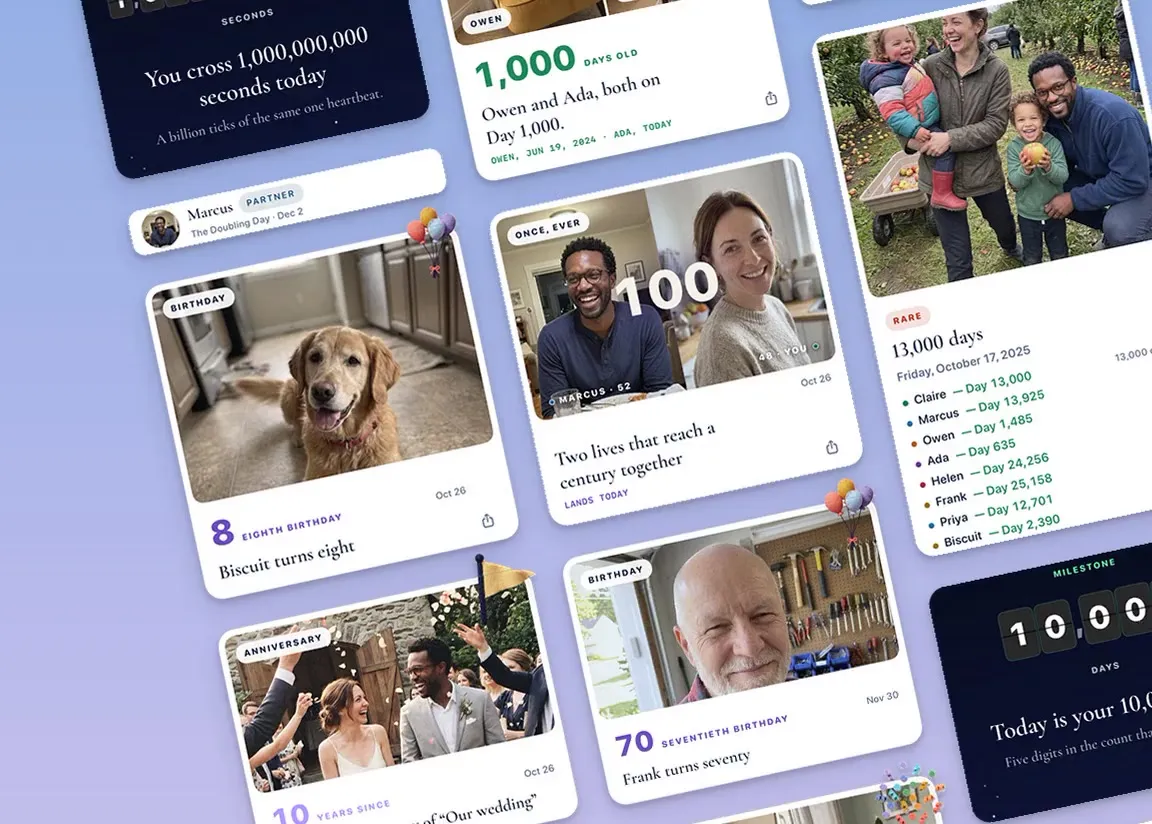
Every life has days no calendar prints.
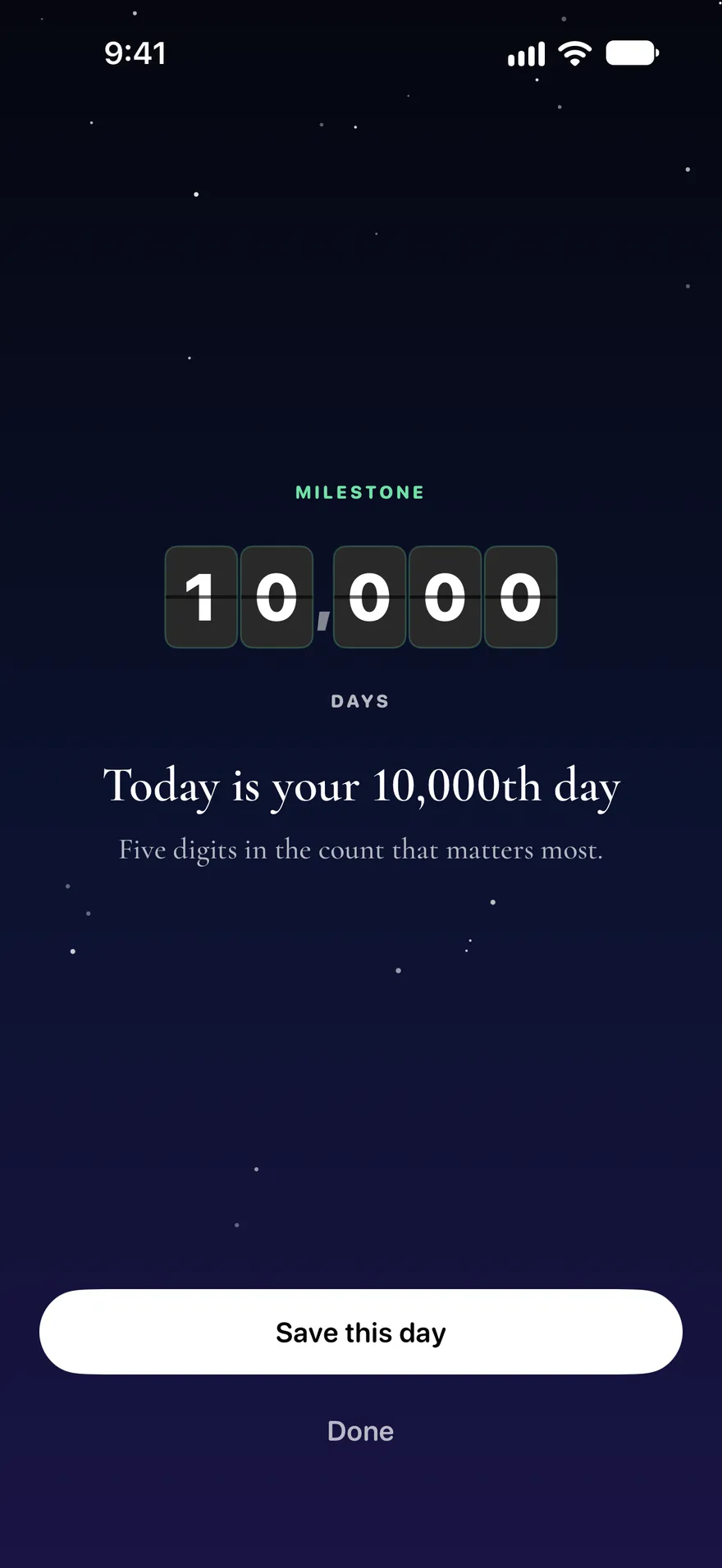
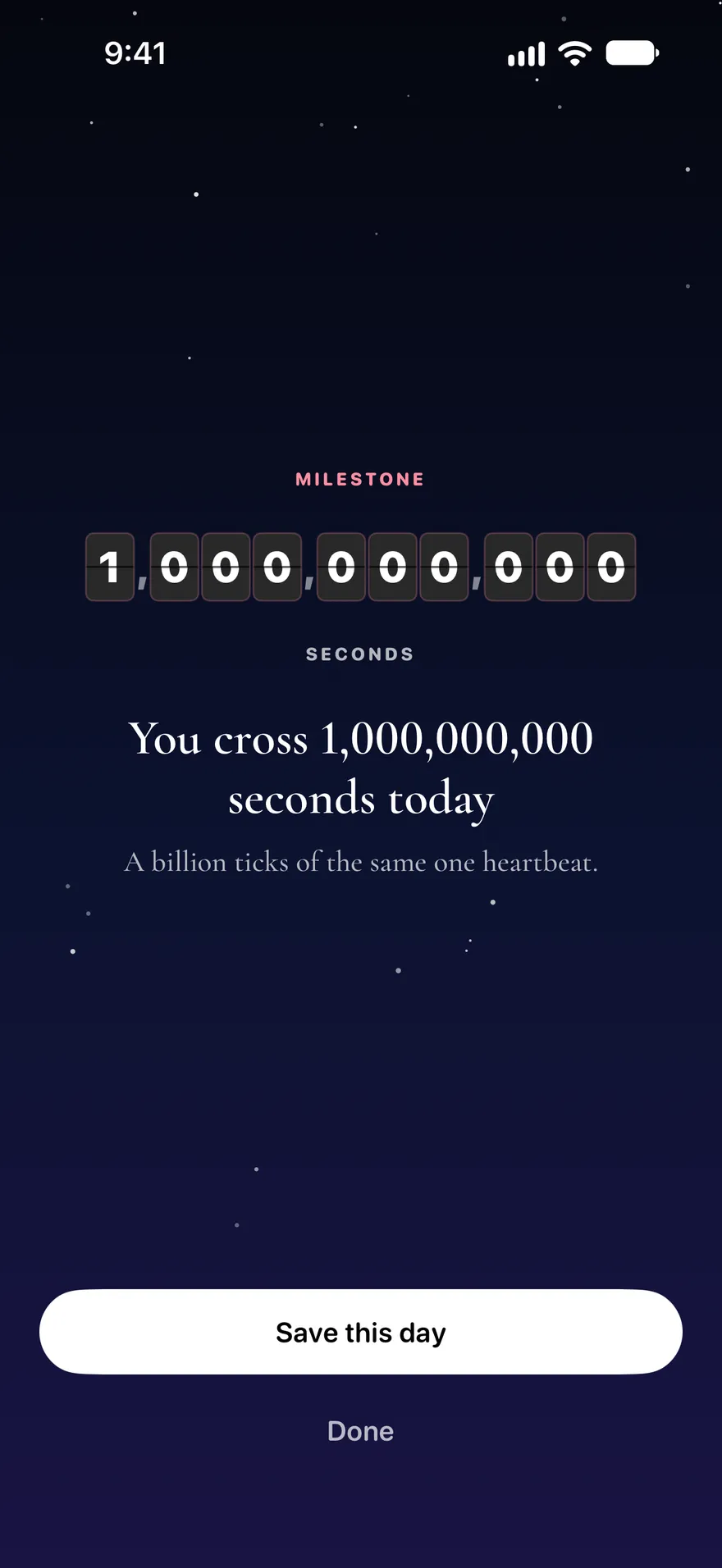
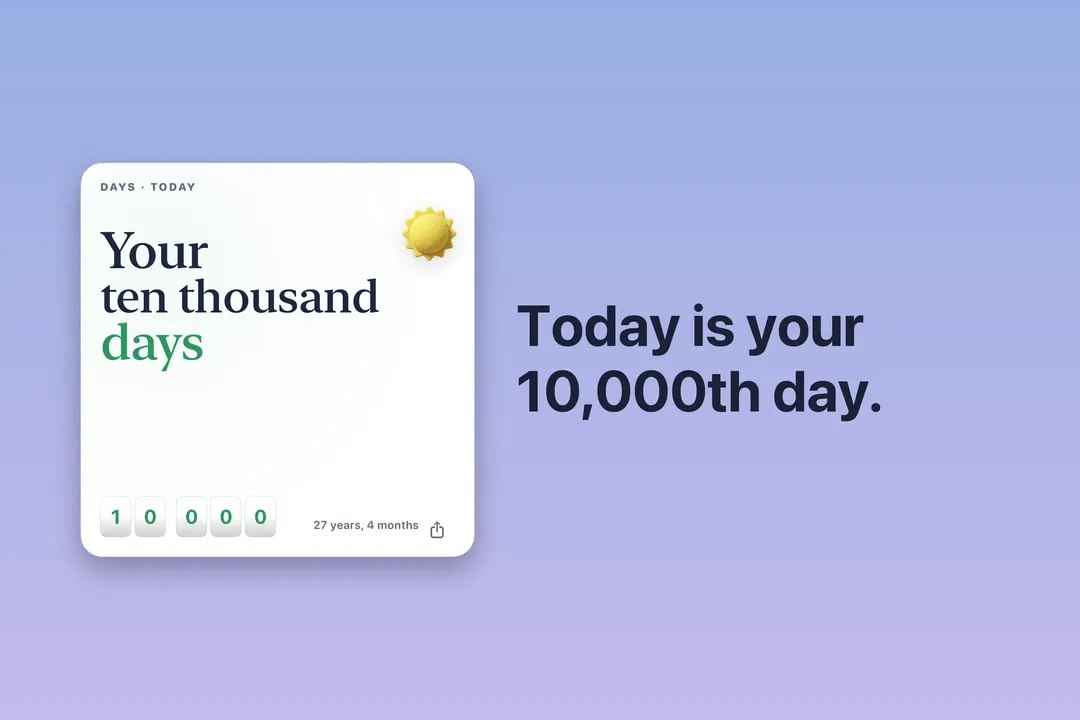
Your 10,000th day comes in your 28th year. Your billionth second lands at 31.
There's a day your count reads 11,111, and a day your seconds read 299,792,458, the speed of light. Type a birthday and see when yours land.
Worked out on this page. Nothing you type is sent anywhere.
Today is
—
days of your life
— seconds since your first midnight, still counting.
Add the minute you were born in the app and the seconds count from it instead. The app finds hundreds more: birthdays on the other planets, days shared with the people you add, the night your star's light set out.
Once in a life
Show the arithmetic
More, worked out the same way: your age in days, your 10,000th day, your billionth second, the day your child is half your age and your kids at the same age.
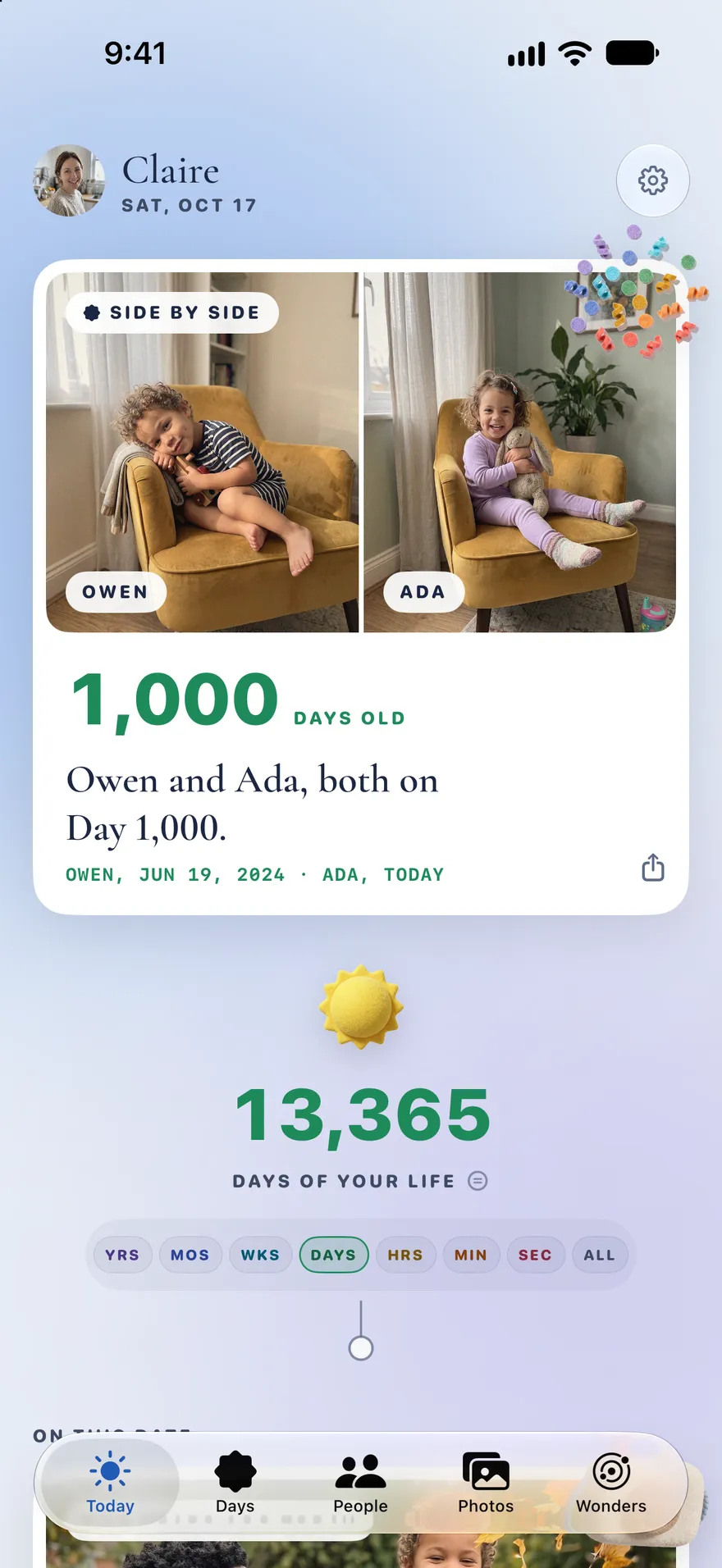
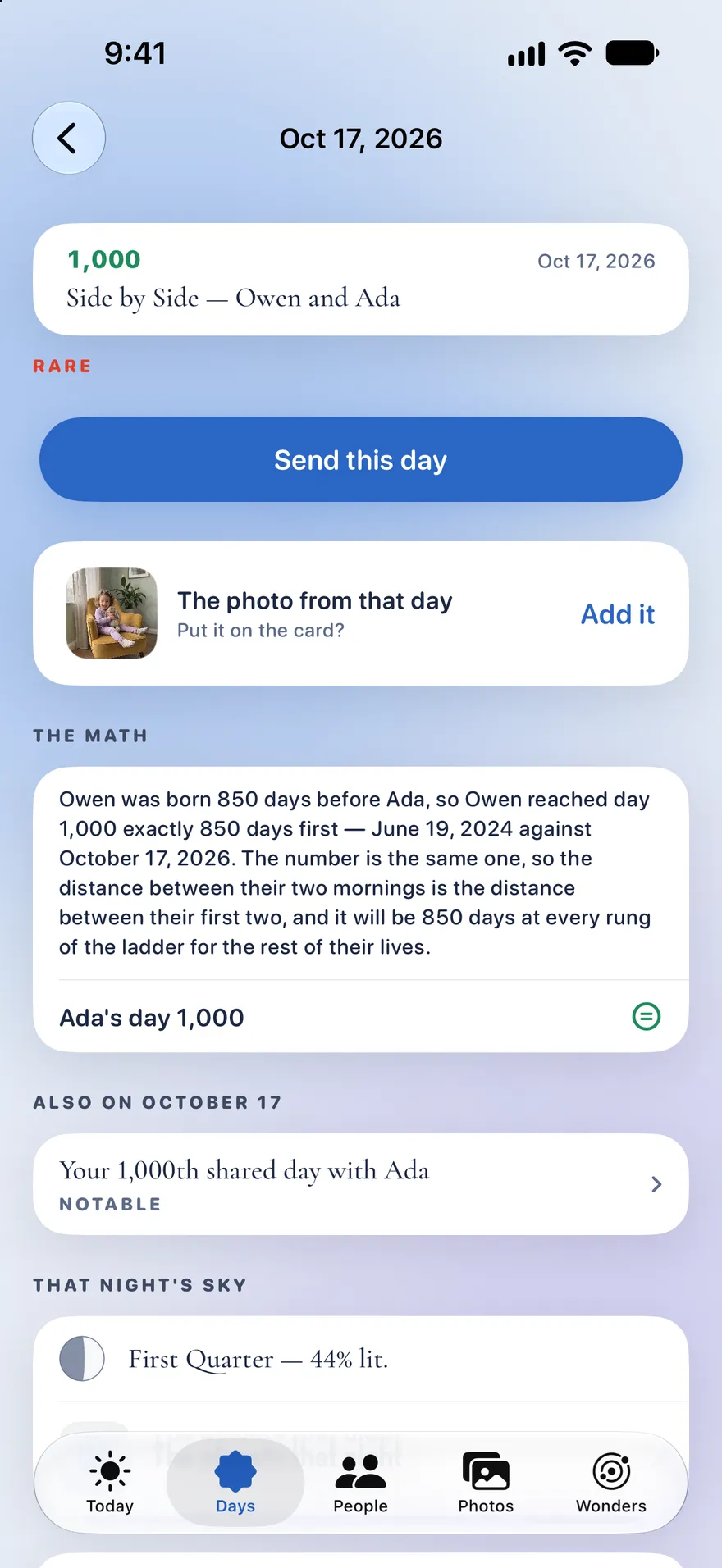
Day 1,000 Owen and Ada
Your kids, side by side at the same age.
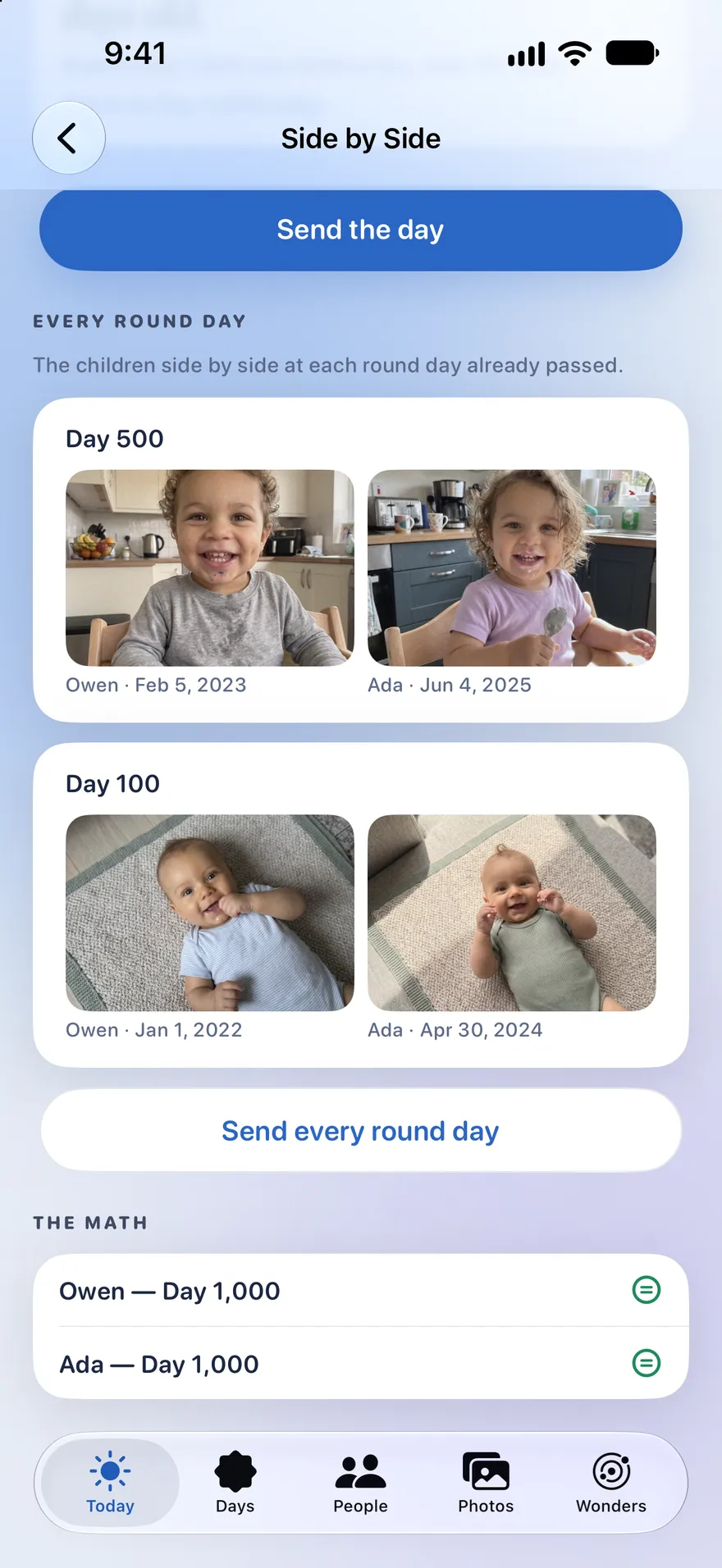
Mark your children and every morning puts the youngest today beside each older child on the day they were exactly as old, with a photo from that day or the nearest day beside it.
- Take today's photo with the older child's faded over the viewfinder, and line them up.
- Scrub back to Day 100 or Day 500, or open every round day at once as a ladder of pairs.
- Not the right child? Pick another photo and Life Tally keeps your choice.
- Send the day, or every round day as one card, to the family.
Nothing is uploaded and no face is ever recognized: it matches birthdays to the dates on your photos.
Day 10,000 Nora
Days with names, each with its proof.
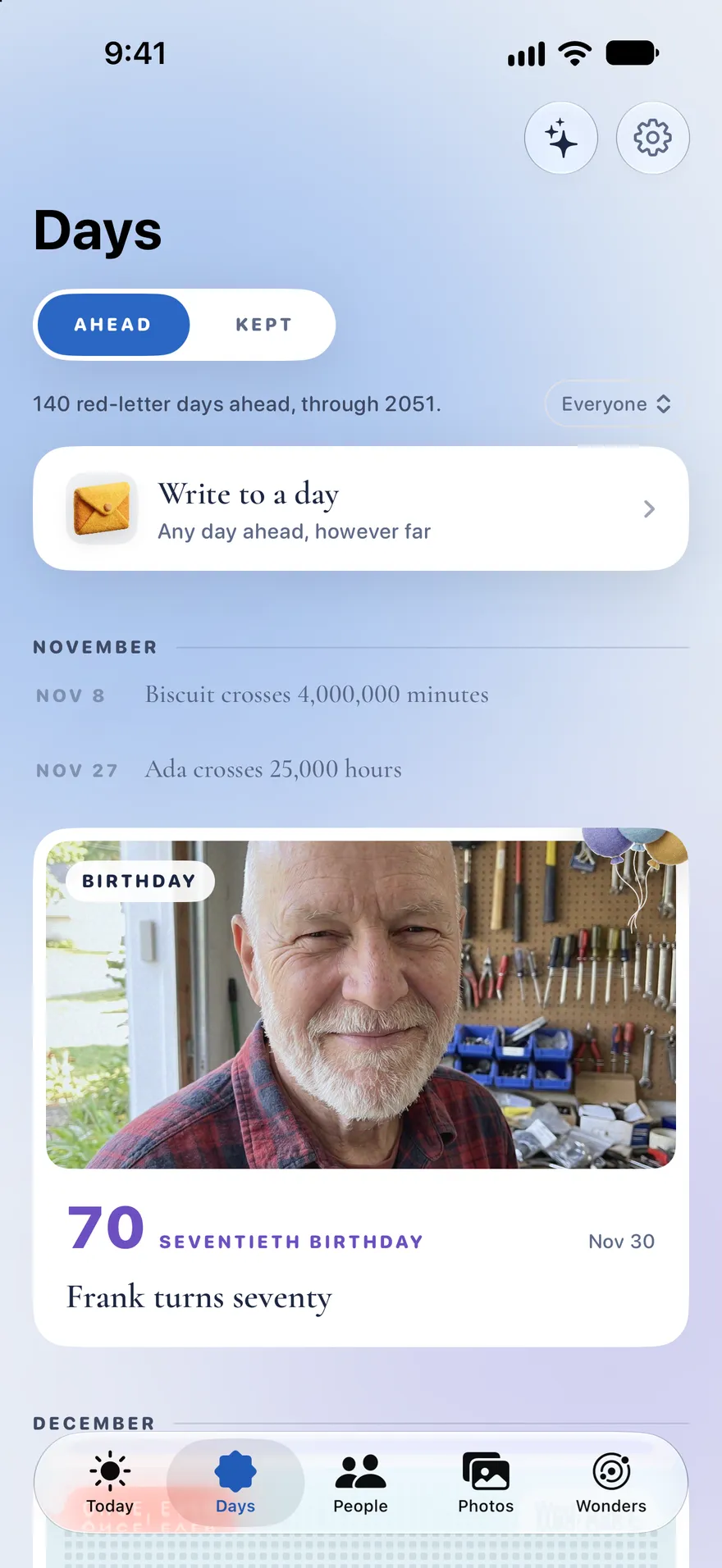
Life Tally works out which days of your life are worth knowing about, and dates every one. The ones ahead wait in Days; the ones that have landed are kept. The rarest happen once in a life, and Life Tally marks them in red.
Today counts your life in all seven at once, each ticking at its own pace, and a few days get a ceremony of their own.
Tap the equals mark. Every named day shows its arithmetic: the dates, the count and the reason. Most days are quiet, and the app says so. That's what lets the rare ones stand out.
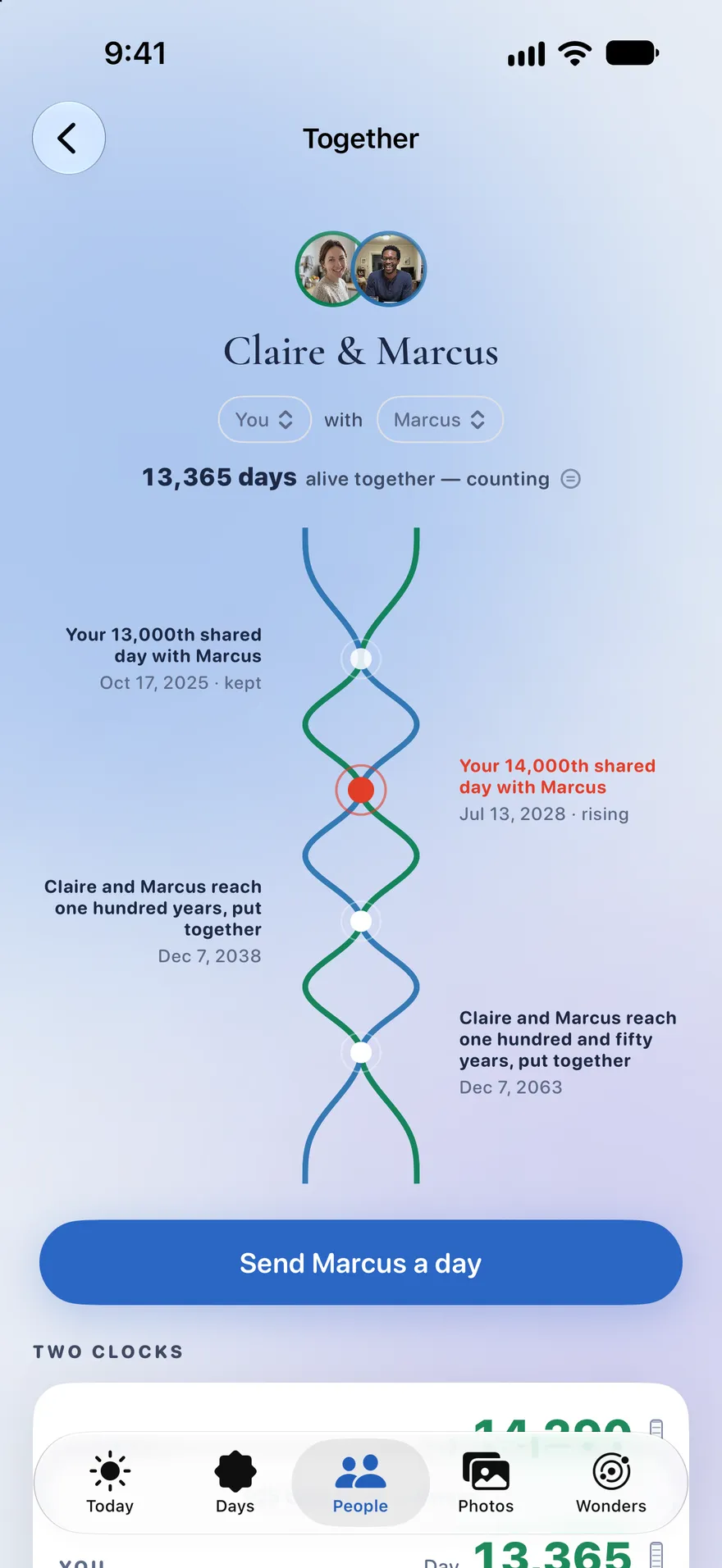
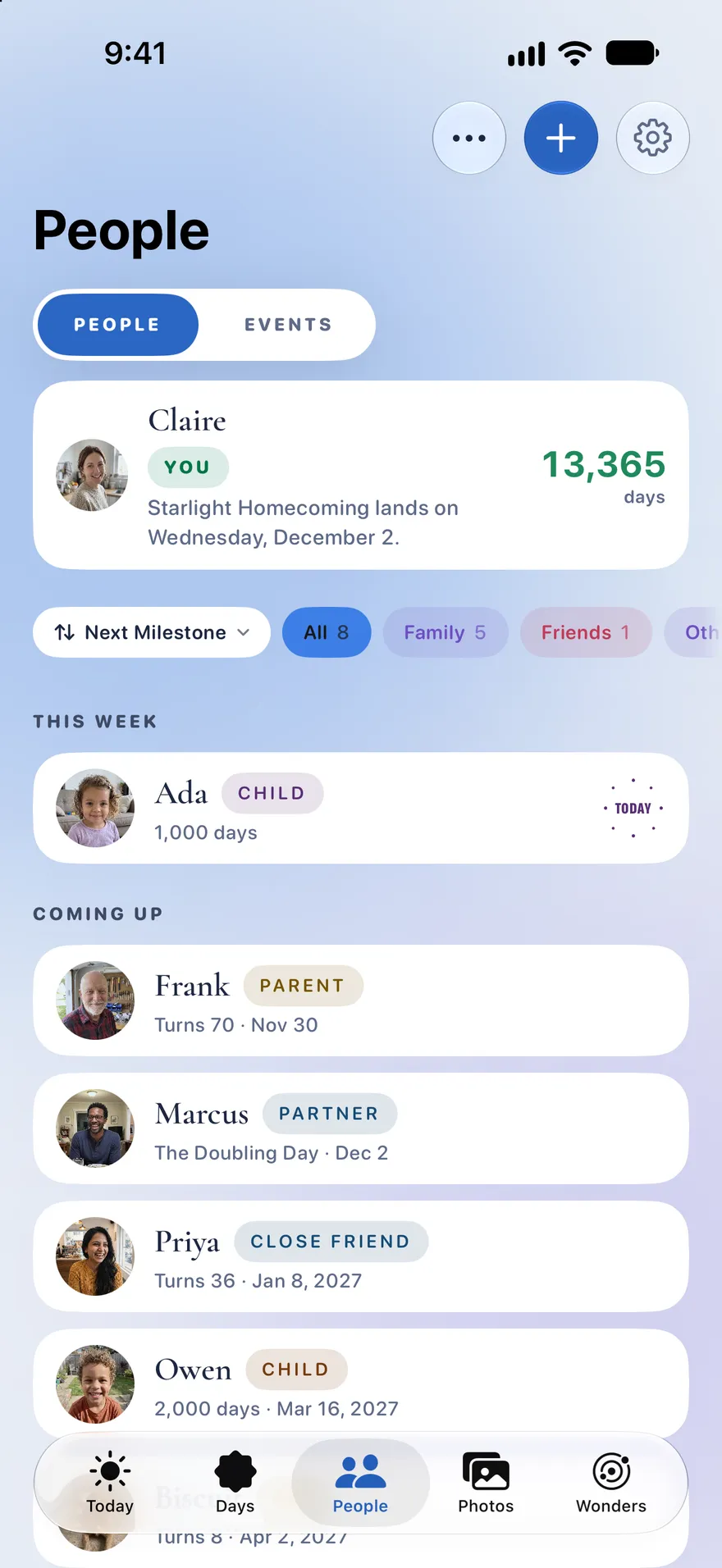
Day 13,365 Claire and Marcus
Everyone you count with, and the days you share.
Add the people you count with and the calendar fills with shared days. Hold one person and carry them onto another to open Together.
-
Days alive together
The running total of days you've both been alive.
-
Exactly half
The one day a child is exactly half a parent's age.
-
A century, put together
The day two lives add up to a hundred years.
-
Longer than not
Met on your day 9,000? Day 18,000 is when you've known them longer than you ever didn't.
Birthdays and half-birthdays, anniversaries, and the dates that anchor a life: a wedding, a first home, a new job. Pets count too, by their real days, never in dog years.
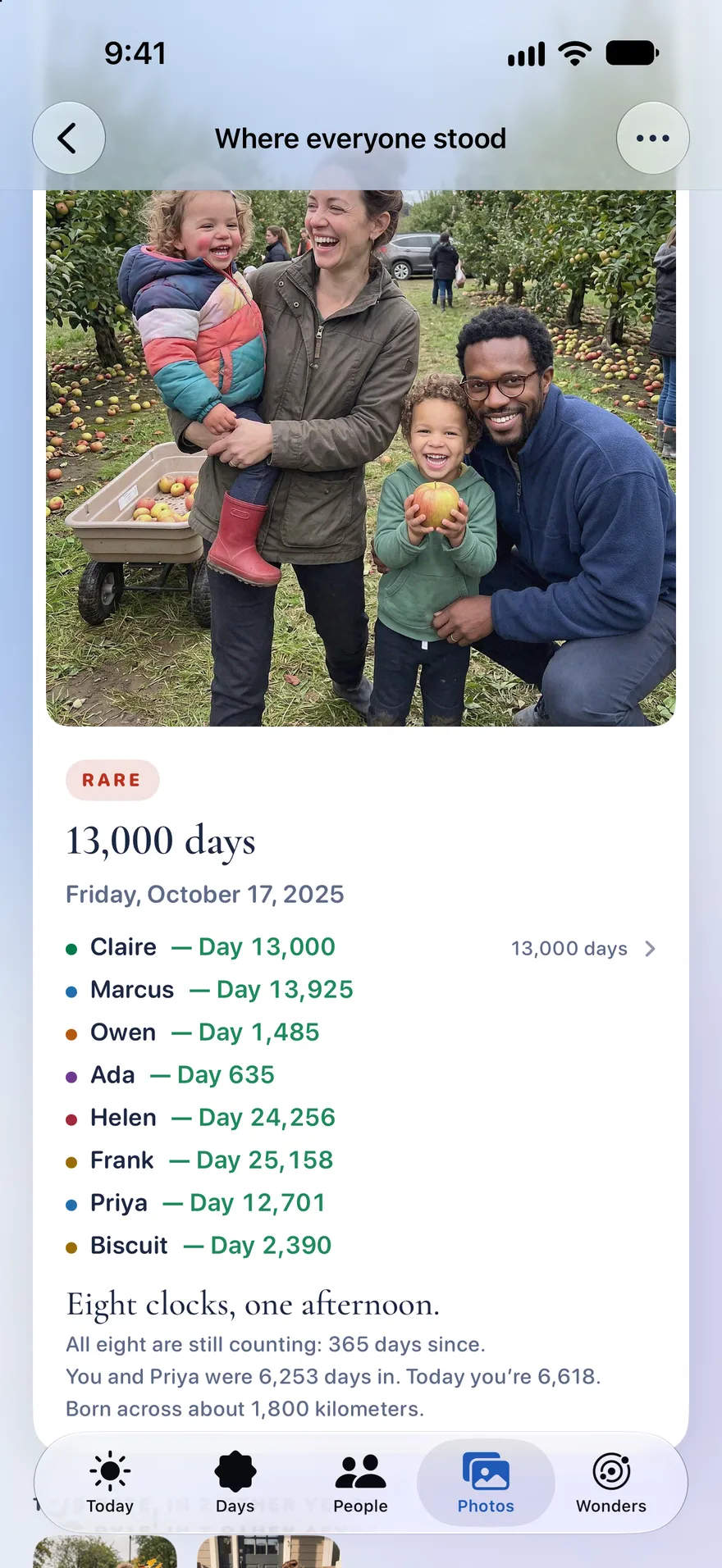
Day 13,000 The orchard
Any photo knows what day it was for everyone in it.
Open any picture and see how old everyone was that day, each person's day number to the day. Eight clocks, one afternoon.
- See this date in past years, from photos already on your device.
- Find the days you photographed without knowing they had a name.
- Life Tally finds your photos by their dates, and never recognizes a face.
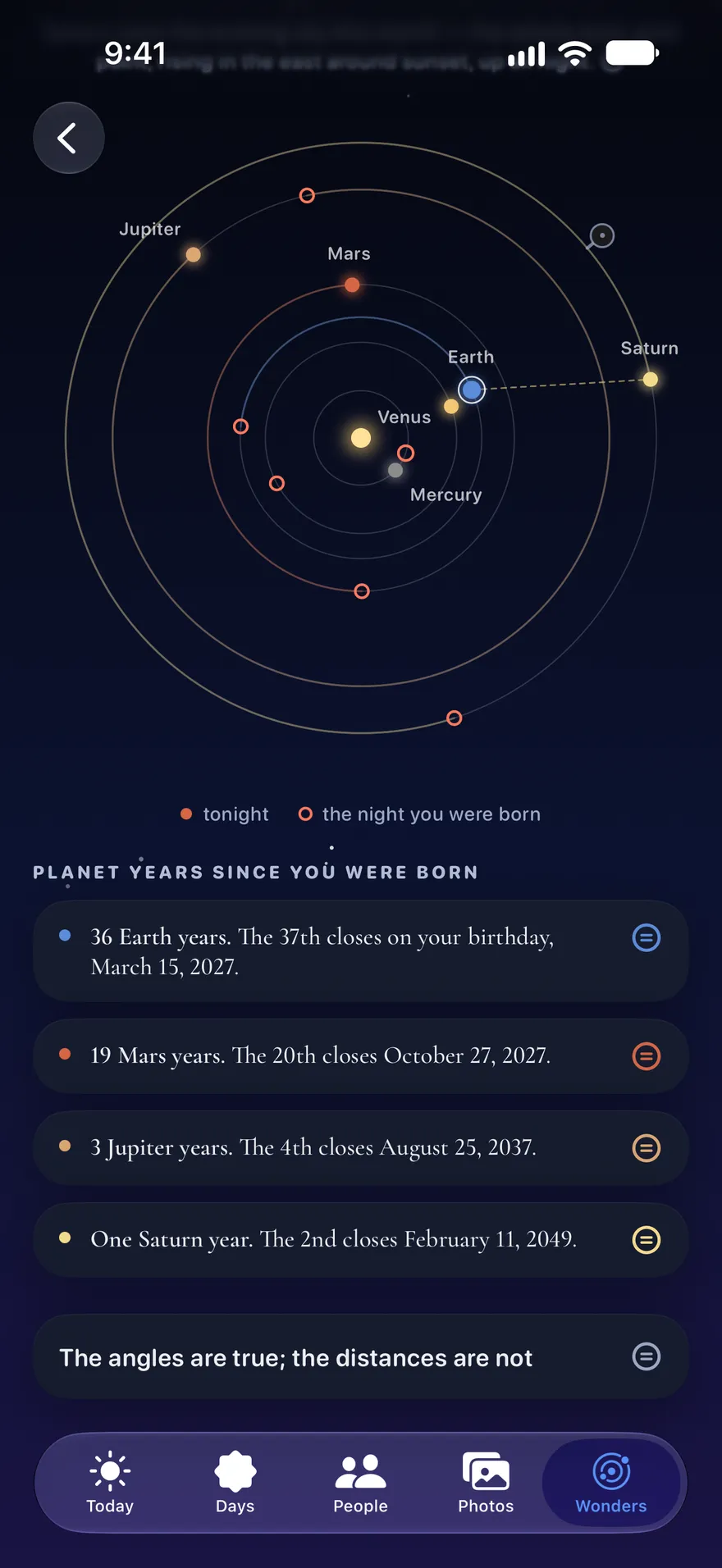
Tonight The sky
Tonight's real sky, over your own dates.
Today opens on tonight's real sky: the moon at its true phase, the planets where they stand this evening, your own star.
- Your age on the other planets: 19 Mars years, 3 Jupiter years, and the day each next one closes.
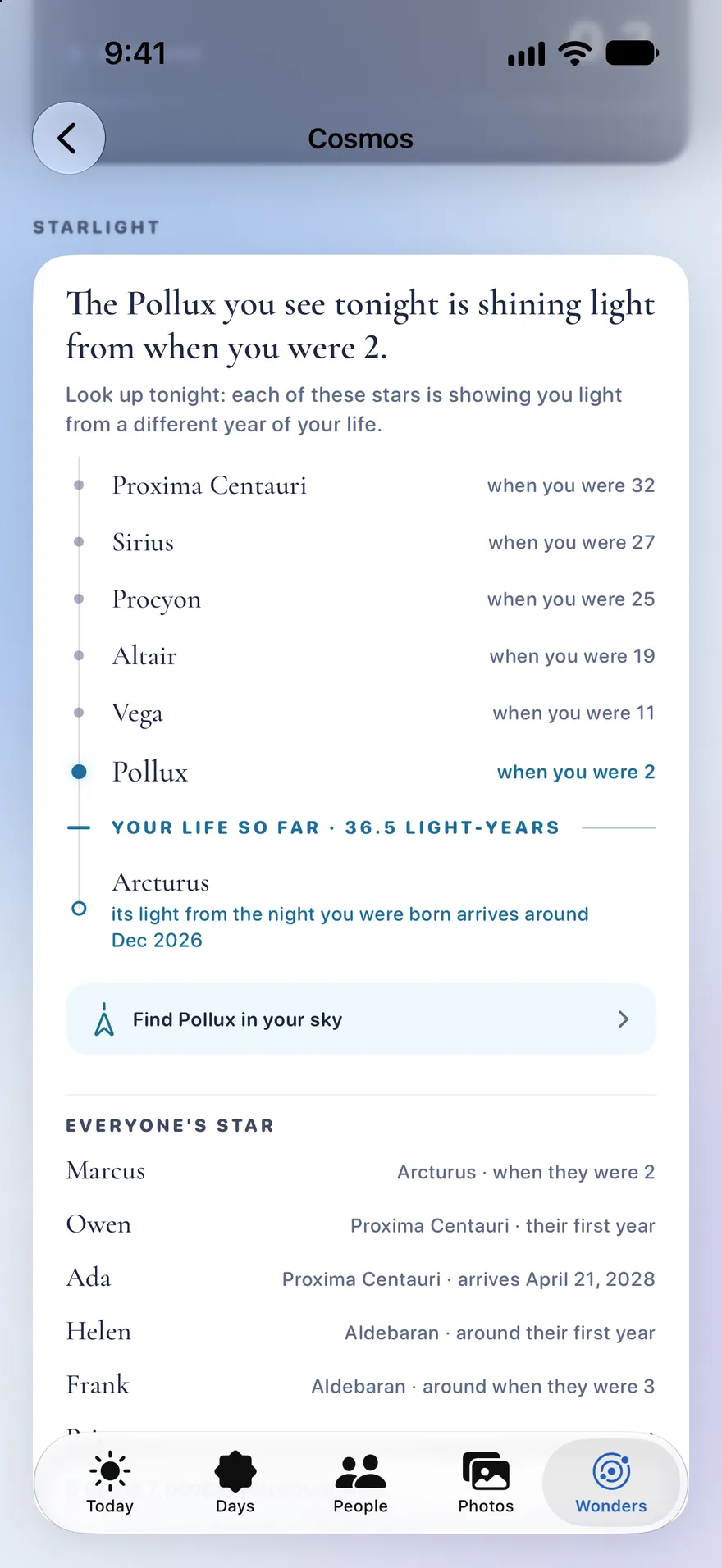
- Starlight: the year each star's light set out, as the age you were.
- Halley's comet, and the eclipses and meteor showers that fall on your dates.
- Wonders, a new tab: the moon, the planets and your life, to play with.
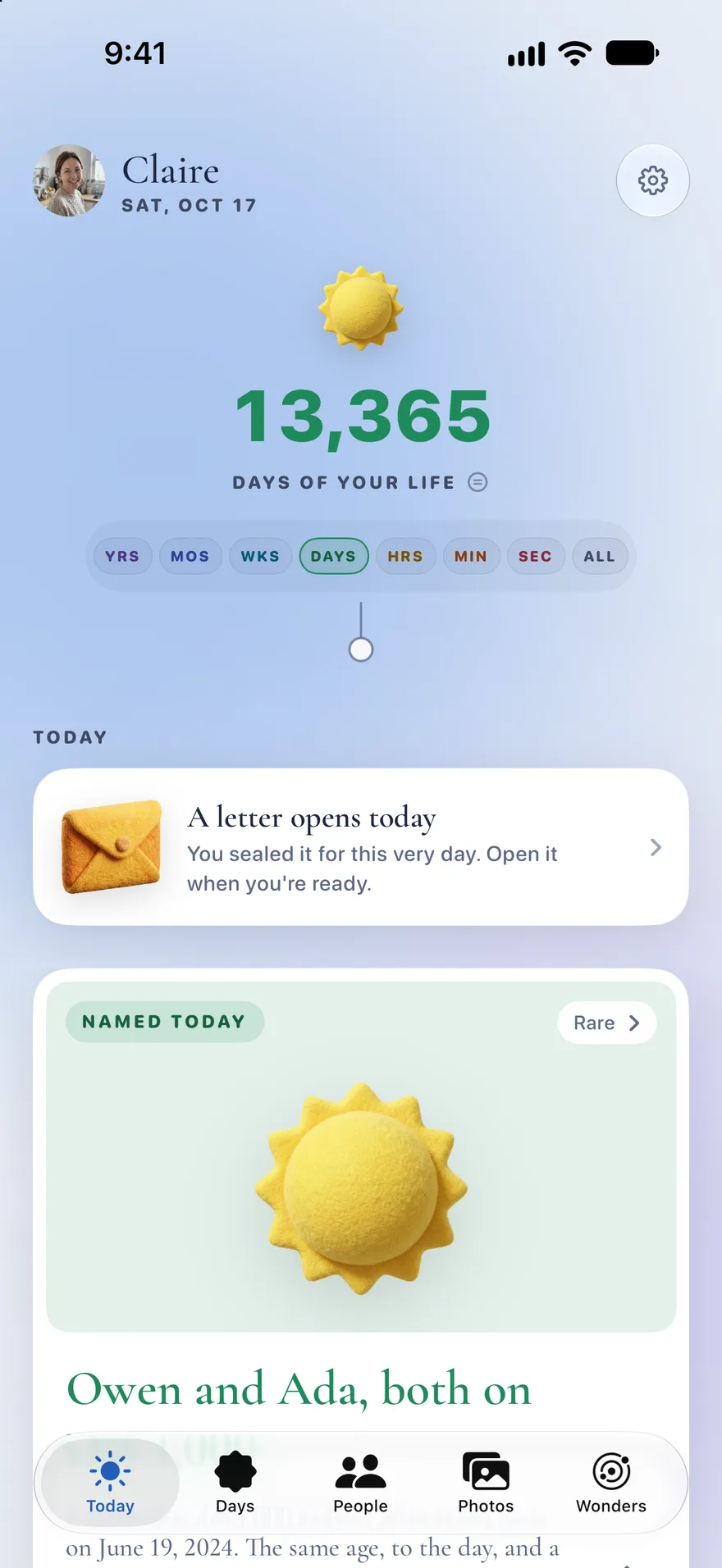
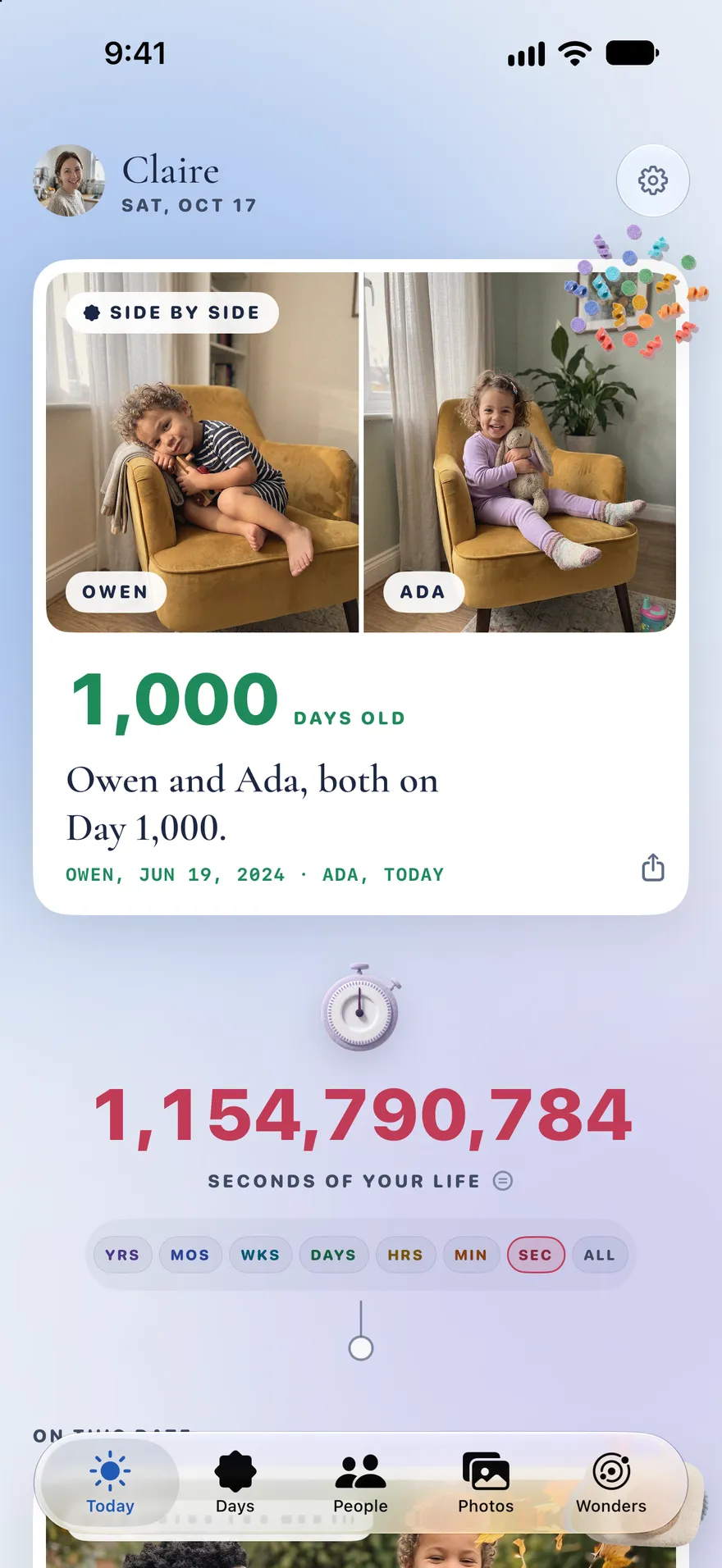
Some morning A letter
Write to a day ahead.
From Days, write to any future day, or record up to thirty seconds of your voice. The letter seals and comes back that morning, waiting on Today.
Write to yourself for your 20,000th day, or to your son for the morning he turns ten. A voice letter stays on the iPhone it was recorded on.
On your Home Screen, and nowhere else.
Five widgets
Your live count, the next named days in your circle, a photo from this date in years past, tonight's moon, and Side by Side.
Siri
“What day is it in Life Tally?” “When's my next named day in Life Tally?” “Show my kids side by side in Life Tally.”
A note on the morning
With notifications on, a push at 7 AM on the morning a birthday or a milestone lands, for you or anyone you count with.
Birthdays from Contacts
Pick people from Contacts and their names and birthdays come with them, so there's nothing to type.
No account, no ads
No tracking either. What you add stays on your device and in your own iCloud, and syncs between your iPhone and iPad.
Exact, never estimated
Every count and every date is worked out on the device from the dates you enter. No heartbeats, no guesses.
Apple Intelligence
Add someone by writing about them. It runs on the device, or through Apple's Private Cloud Compute, which stores nothing.
iPhone and iPad
Built for iOS 27 and iPadOS 27, with a cleaner look: white cards, soft felt, and pages that are easier to read.
Counting since 2015
Life Tally 4.0 is a new app under the old name, rebuilt from the ground up by the one person who has made it from the start.
Every feature is free. One purchase opens the roster.
Free
$0
- You and two more people or events
- Side by Side, named days and their proofs
- Together, Where everyone stood and the sky
- Letters, five widgets and Siri
- iCloud sync between your iPhone and iPad
Full Roster
$9.99 once
US price. One payment, no subscription.
- Everyone you count with: add as many people and events as you like
- Shared with your family through Family Sharing
- Restored on every device you sign in to
- Bought the full version before? Restore Purchases unlocks it
There's a tip jar in Settings, too. A tip says thanks and unlocks nothing.
Questions
Is Life Tally free?
Yes. The free app holds three: you and two more people or events, with every feature, from Side by Side and the named days to the sky, letters, widgets and Siri. One purchase of $9.99 (US) opens the full roster for everyone you count with, shared with your family through Family Sharing. There's no subscription.
I bought Life Tally before. Do I pay again?
No. If you bought the full version of an earlier Life Tally, open Settings from the gear on any tab, then Life Tally › Restore Purchases. And if an earlier version held more than three people or events, the full roster is already yours and you can keep adding.
How does Side by Side find the right photos?
By date, never by face. It matches your children's birthdays to the dates your photos were taken, and shows a photo from that day or the nearest day beside it. If a day's photo isn't the right child, pick another and Life Tally keeps your choice. Nothing is uploaded.
What is a named day?
A day one of your counts lands on something worth knowing: your 10,000th day, day 11,111, your billionth second, the day a child is exactly half your age, the day two lives add up to a hundred years. Each one shows its arithmetic: tap the equals mark to see the dates, the count and the reason. Most days are quiet, and the app says so.
Do I need to know what time I was born?
No. Without a birth time, the hours, minutes and seconds count from midnight on the day you were born, and every named day still lands on its date. Add the minute you were born and they count from that minute.
Can I count a pet, or a wedding?
Yes. Pets count by their real days, never in dog years. Events like a wedding, a first home or a new job get their anniversaries and their round days, and each one takes a place on the roster, like a person.
Is my data private?
Life Tally has no account, no ads and no tracking. What you add stays on your device and in your own iCloud, and every count is worked out on the device. A few features that read or write words use Apple Intelligence, on the device or through Apple's Private Cloud Compute. Your purchase is recorded by RevenueCat so it can be restored on every device.
Which iPhone or iPad do I need?
Any iPhone or iPad that runs iOS 27 or iPadOS 27. Adding someone by writing about them needs Apple Intelligence; everything else works without it.
More on the support page.
Count every second.
Free on the App Store for iPhone and iPad. No account, no ads, no tracking.
Scan to download